
WARNING
⚠️ You are viewing this documentation on GitHub, which may be incomplete. The Web Version offers more comprehensive content and better formatting.
IMPORTANT
Once you complete the app and booksource setup (see ⚡️ Quick Start ), you can use the methods below to add novels to your bookshelf.
⚡️ Quick Jump
TIP
🔍 Search Novels; ⭐️ Discover Novels; 🔗 Add URL; 🌐 RSS Feed
📖 Add Novels
🔍 Search Novels
NOTE
Bookshelf -> Search (Magnifier Icon) -> Type Keywords -> Search -> Add to Bookshelf
This will search both the Pixiv website and your local Bookshelf at the same time.
TIP
✅ All-in-One Search: It searches through Novel Titles, Series Titles, and Tags by default.
Open the Bookshelf page and tap the search button 🔍

Type your keywords 测试页面 and press Enter to search.
测试页面
Tap on the search result to open the novel info page.

Tap [Add to Bookshelf] to add the novel to bookshelf.
⭐️ Discover Novels
NOTE
Discovery -> Tap "Pixiv Novels" -> Pick what you want -> Add to Bookshelf
TIP
Pixiv has many novel recommendation lists. You can find them all on the Discovery.

Open the Discovery and tap the button to browse.

Tap on any button to open the novel information.
Tap [Add to Bookshelf] to add the novel to bookshelf.
🔗 Add URL
NOTE
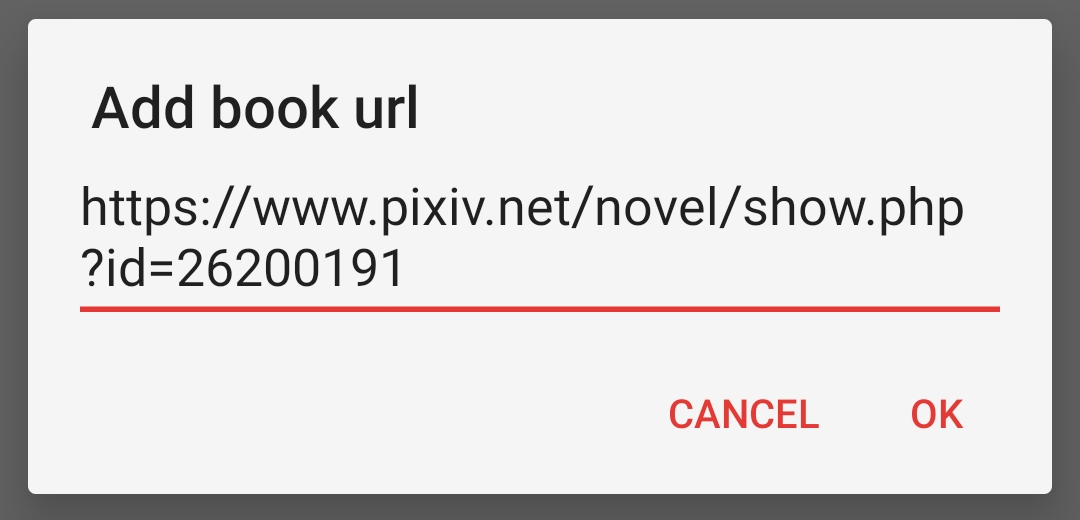
Bookshelf -> Menu -> Add URL -> Paste Novel Link -> Add to Bookshelf
TIP
When someone sends you a Pixiv link, you can quickly add it to your library using this method.
You can paste multiple links at once. Supported links:
- Pixiv Single Novel Links
- Pixiv Novel Series Links
- Pixiv Author Profiles Links (adds their latest novel)
https://www.pixiv.net/novel/show.php?id=26200191Copy the Pixiv link above, then open the menu in the top-right corner of the Bookshelf. 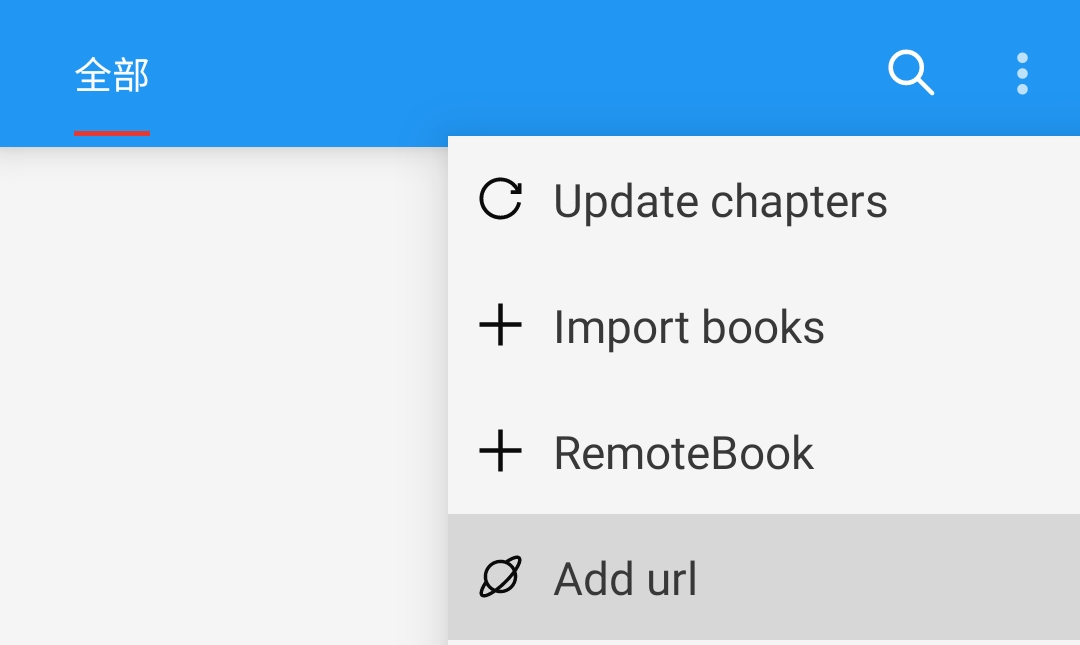
Paste the link and tap OK to add the novel to bookshelf.

WARNING
Can't add the link?
Share links from the official Pixiv App usually have extra text, a# symbol.
Just delete the hashtag and everything before it to fix it:
测试页面 | 唐尼瑞姆 #pixiv https://www.pixiv.net/novel/show.php?id=26200191🌐 RSS Feed
NOTE
RSS Feed -> Pixiv -> Open Novel Content Webpage / Series Catalog Webpage -> Add to Bookshelf
TIP
If you like browsing the web, you can open the Pixiv website right here
and use the [加入书架] button to add novel to bookshelf directly.

Open the RSS Feed and tap Pixiv to open the built-in Browser to visit Pixiv.

1️⃣ Go to any Novel Content Webpage or Series Catalog Webpage.

2️⃣ Tap the floating [加入书架] button to bring up the details window.
Tap [Add to Bookshelf] to add novel to bookshelf.